Pick the right tool
| You hear… | Use |
|---|---|
| Steady hiss, fan or room noise | Noise Reduction (Voice) |
| A low 50 or 60 Hz buzz | Repair Studio › De-hum |
| Clicks and pops | Repair Studio › De-click |
| Distortion on loud words | Repair Studio › De-clip |
| Sharp “s” and “sh” sounds | Repair Studio › De-ess |
| Loud breaths between sentences | Repair Studio › De-breath |
| Noise only in pauses | Noise Gate |
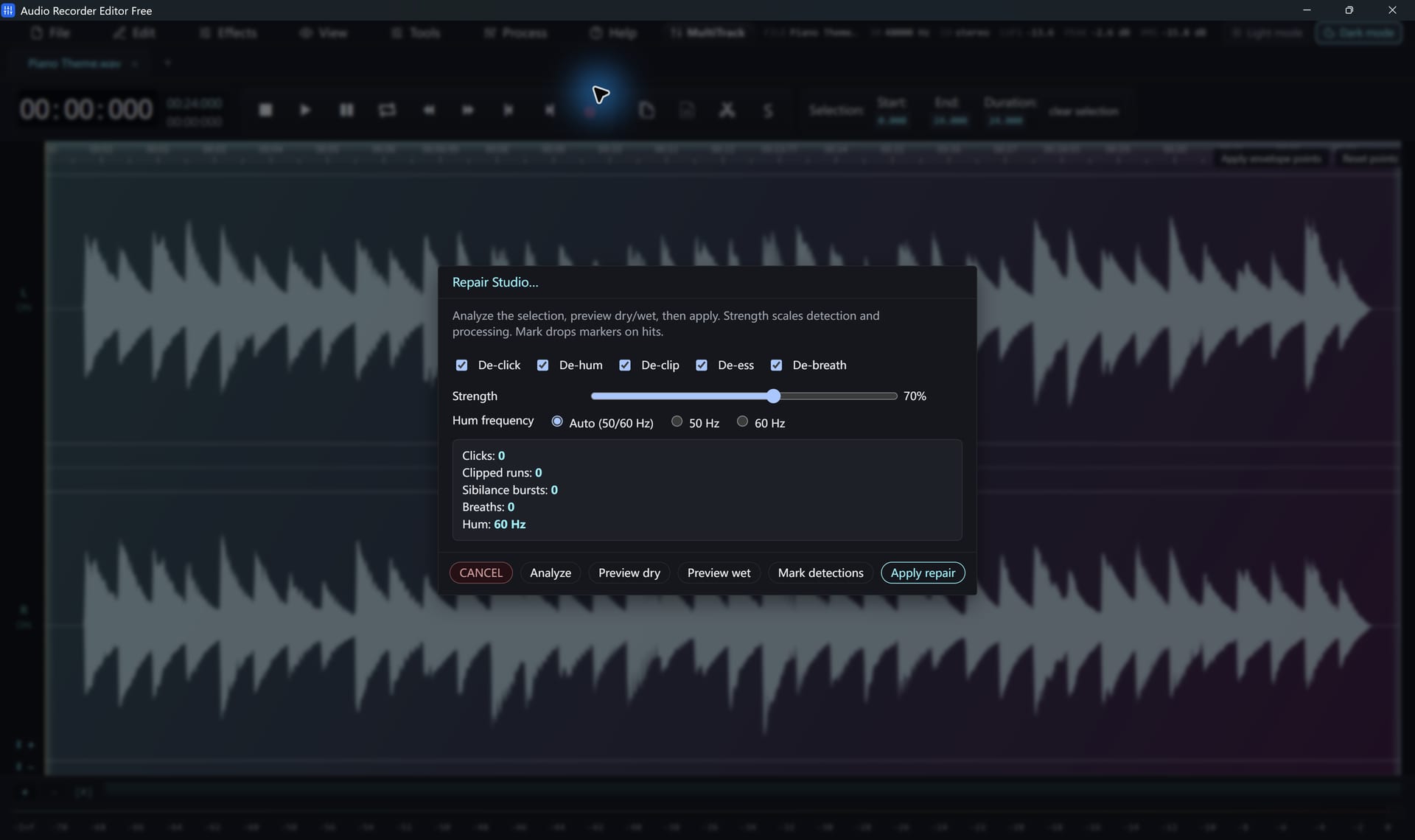
Use Repair Studio
- Select the noisy part, or the whole recording.
- Open Repair Studio and click Analyze. Problem spots are listed and marked.
- Turn on the stages you need and set the strength. For hum, leave the frequency on Auto or choose 50 Hz (Europe, Asia) or 60 Hz (North America).
- Switch between Dry and Wet to compare.
- Click Apply.
One-click voice polish
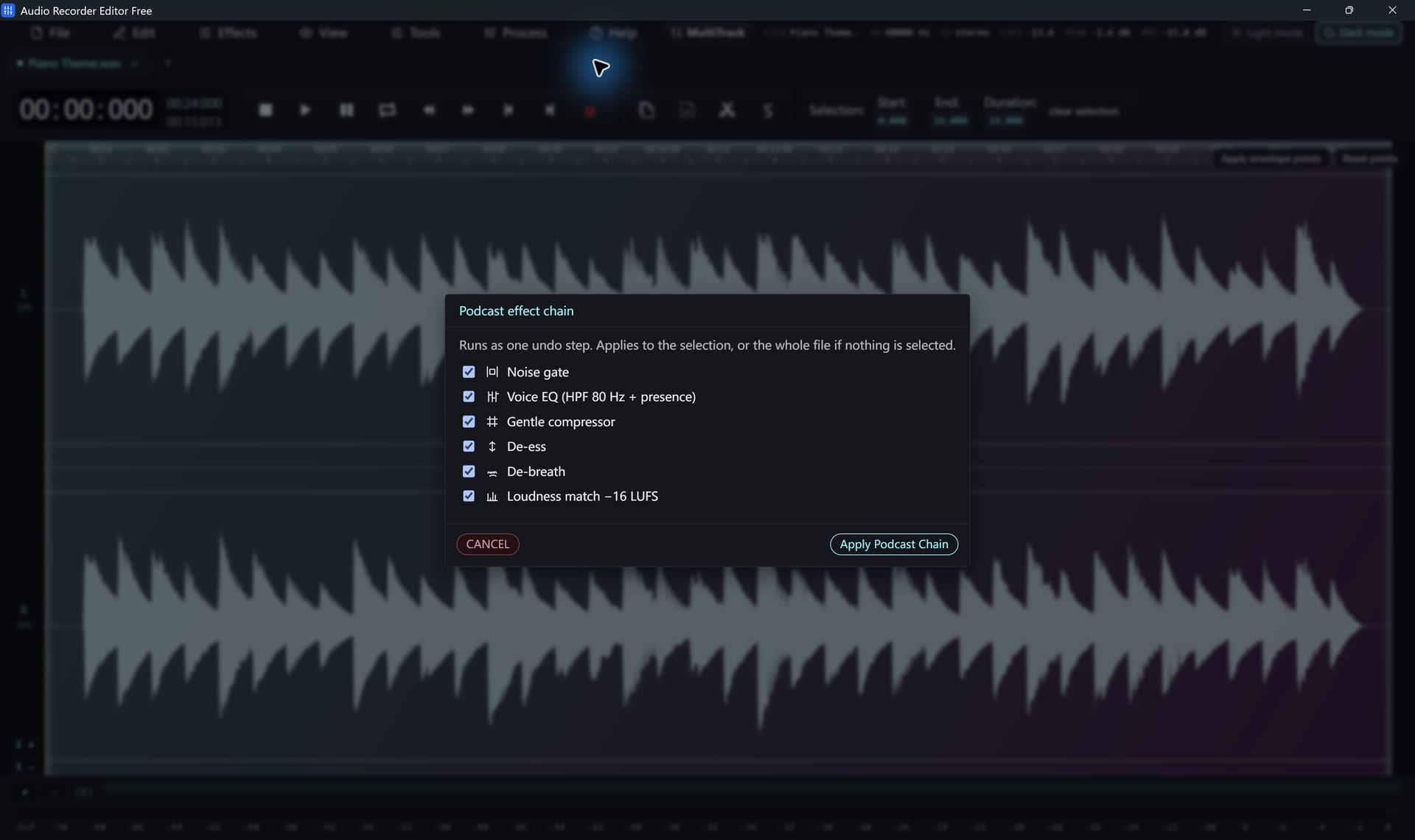
The Podcast chain runs a gate, voice EQ, compression, de-essing, de-breathing and loudness matching in one pass. Switch each stage on or off.
Gentle settings sound more natural. Heavy noise reduction can make voices watery, and badly clipped audio cannot always be restored.
Follow along for freeAudio Recorder Editor Free has every tool in this tutorial. No registration.
Free DownloadQuestions about this task
Can it remove music or a voice from a song?
No. These tools reduce noise and repair damage. They do not separate vocals from music.
Should I clean the audio before or after editing?
Edit first, then clean up. It is faster to process only what you keep.
Try It On Your Own Audio
Audio Recorder Editor Free costs nothing. Install it and follow along.
Download Free for WindowsFree forever · Windows 11 & 10 (64-bit) · No registration