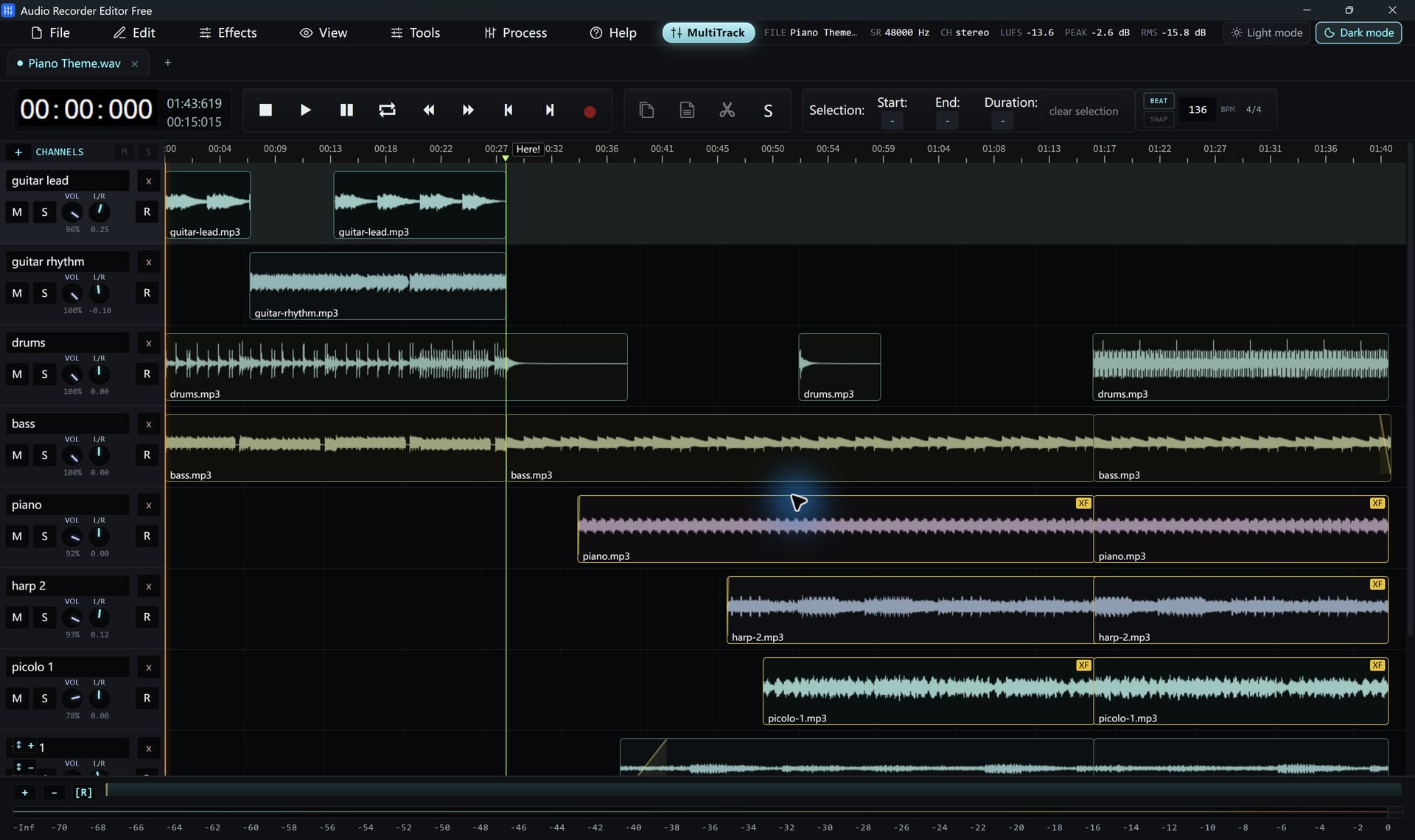
Build a mix
- Switch to the Multitrack Mixer.
- Add your voice recording on one track and the music on another.
- Drag clips to line them up and trim their edges.
- Lower the music track’s volume so the voice is clear. Use pan to place sounds left or right.
- Use mute and solo to check each track on its own.
- Add fades or a crossfade where clips overlap.
- Play the whole arrangement, then export the mixdown.
Mixing tips
- Background music usually sits 12 to 20 dB below the voice.
- Fade music in at the start and out at the end.
- Turn on beat snapping when you line up music edits.
This is a straightforward audio mixer. It does not host VST plugins, sequence MIDI or edit video.
Follow along for freeAudio Recorder Editor Free has every tool in this tutorial. No registration.
Free DownloadQuestions about this task
Can I save the session and continue later?
Yes. Save a project and reopen it to pick up where you left off.
Try It On Your Own Audio
Audio Recorder Editor Free costs nothing. Install it and follow along.
Download Free for WindowsFree forever · Windows 11 & 10 (64-bit) · No registration